

Receiving emails through Resend
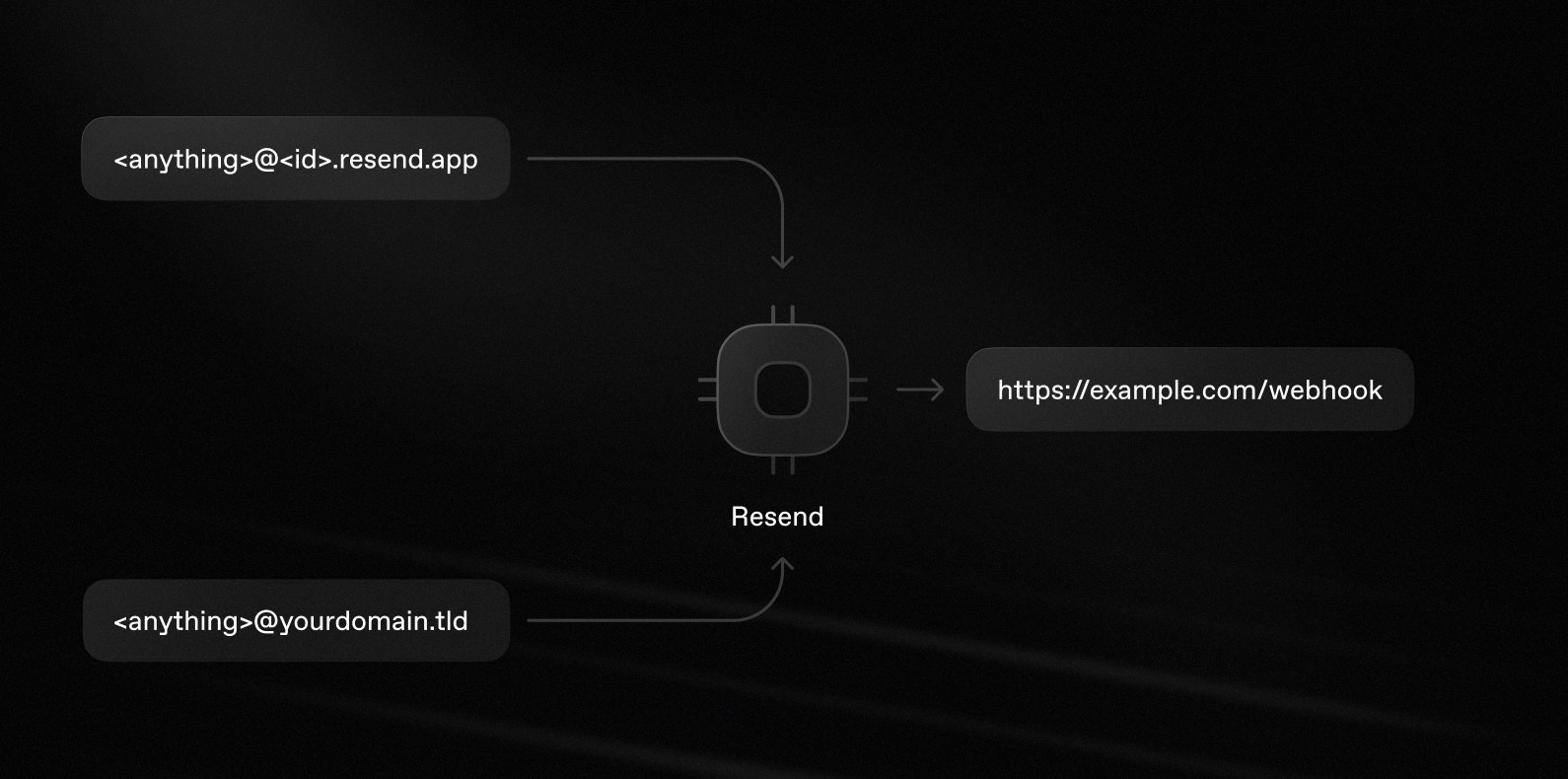
Resend provides all the tools you need to receive emails (commonly called inbound) at a verified domain, or at your account’s Resend-managed<id>.resend.app subdomain.
This is useful for:
- Receiving support emails from users.
- Processing forwarded attachments.
- Replying to emails from customers.
Receiving features
With Resend’s email receiving features, you can:- View all received emails in the Emails Dashboard page.
- Receive incoming emails and get notified with a webhook event.
- Poll for new inbound emails in the terminal and display them as they arrive.
- Retrieve full email content (HTML, text, headers) for use in your application.
- Process attachments using attachment metadata and temporary download URLs.
- Forward emails to another email address.
- Reply to emails in the same thread
- View API endpoint logs and deliverability metrics for monitoring and troubleshooting.
Quickstart
To start receiving emails using a domain managed by Resend, get your unique<id>.resend.app domain:
1
Go to the Emails page in your Resend dashboard.
2
Select the Receiving tab.
3
Get your custom Resend domain.
Click the three dots button and select Receiving address to see your custom Resend subdomain.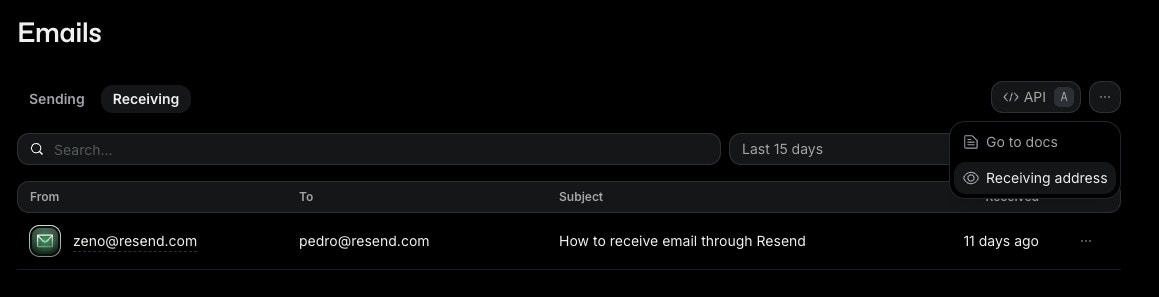
4
Send yourself a test email.
Send an email to any username at your subdomain (e.g.,
test@<id>.resend.app). You will receive emails sent to any address at your Resend domain.5
View your received email in the Receiving tab of the Emails Dashboard page.
Configure Webhook
Once you can receive mail, you can create a received mail webhook to receive real-time notifications about incoming email. Resend processes all incoming emails to your receiving domain, parses the contents and attachments, and then sends aPOST request to an endpoint that you choose to handle the received email.
Choose your infrastructure
To handle your received emails, you can use a variety of tools:- SDK: process inbound emails with an SDK built for your language
- Integrations: process inbound emails using a framework or tool you already use
- API: process inbound emails with raw HTTP API calls
- CLI: process inbound emails and stream incoming messages from the terminal
- MCP: list, read, and download inbound emails through your agent with MCP
Manage your received emails
After you’ve received your first email, you’ll be able to view and manage your emails in the Emails Dashboard page under the Receiving tab. From here, you can view email details, share a public version, and more. You can also manage your emails programmatically using the Receiving API, CLI commands, or the MCP server. Learn more about managing your received emails in the dedicated guide.Related Guides
See how to use Resend’s receiving features.Custom domains
Received email webhook
Get email content
Process attachments
Forward emails
Threaded replies
Examples
Next.js (TypeScript)
See the full source code.
Next.js (JavaScript)
See the full source code.
PHP
See the full source code.
Laravel
See the full source code.
Python
See the full source code.
Ruby
See the full source code.