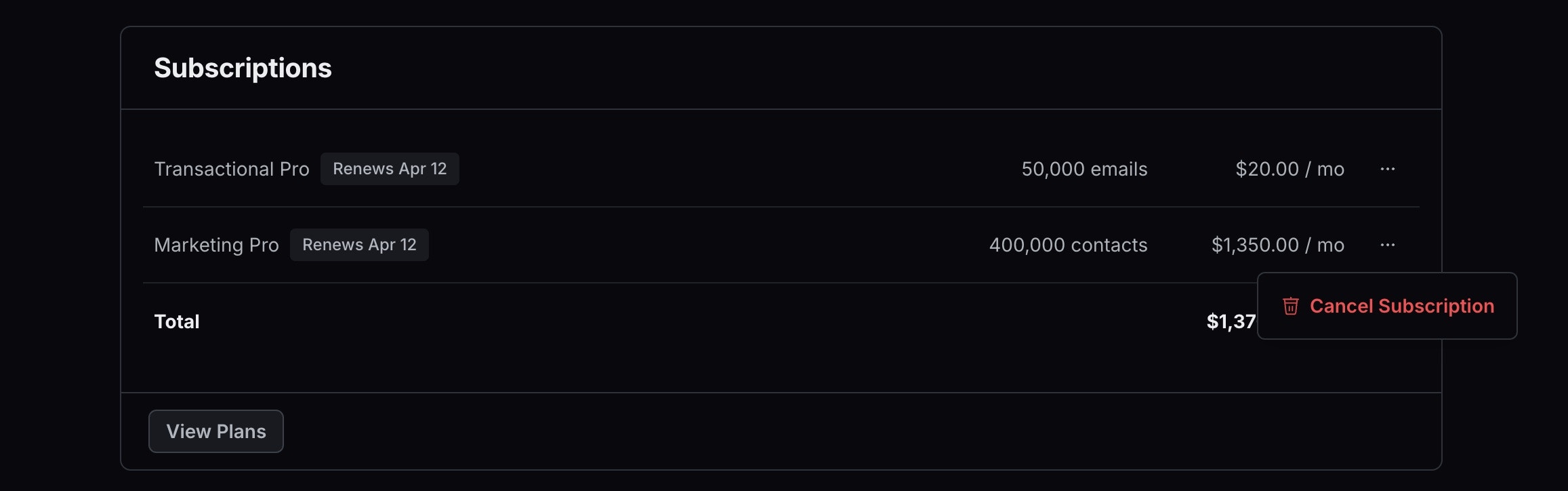
- View and manage your subscription - Upgrade, downgrade, or modify your current plan.
- Update the billing email - Set the single address that receives invoices and billing-related notifications.
- Update payment information - Add or change your credit card or billing details.
- Add billing address - Provide your billing address for invoices.
- Add tax ID - Add your VAT number or tax ID for proper invoicing.
- Access invoices - Download past invoices for your records.
Billing email recipients
Each team has one billing email address. Invoices and billing notifications are sent only to that address, and it cannot be set to multiple recipients. If more than one person needs to receive invoices, you have two options:- Set the billing email to a distribution list or alias that forwards to everyone who needs it.
- Invite them to your team. Team members can open the Billing page to view and download every invoice.
How to cancel your subscription
- Go to the Billing page.
- Click on the three dots next to your plan.
- Select Cancel Subscription from the dropdown menu.